tunnel-worker
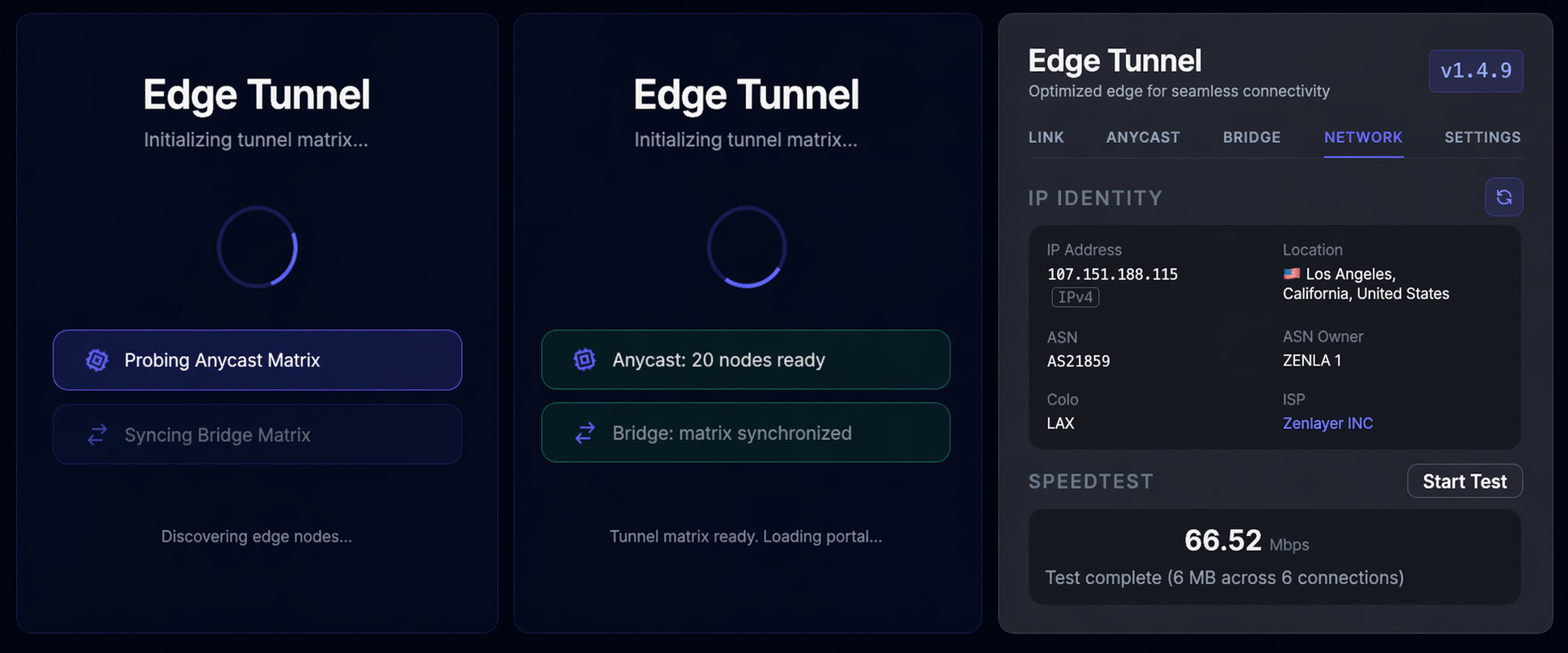
A stateless, dual-modern-protocol (VLESS & Trojan) WebSocket tunnel running on the Cloudflare edge network. Routes encrypted proxy traffic through Cloudflare Workers with an autonomous IP optimization engine and a self-bootstrapping admin portal.
Quick Deploy (No source code required)
Prerequisites
- A Cloudflare account
- Node.js installed (
node -vto verify)
Steps
-
Go to the Releases page and download
tunnel-worker.zip. -
Extract the zip and open a terminal inside the extracted folder.
- Deploy to Cloudflare Workers:
npx wrangler deploy[!IMPORTANT] Why we highly recommend using Wrangler instead of the Dashboard GUI: Deploying via Wrangler automatically reads the
wrangler.tomlfile to seamlessly provision your KV Namespace, configure your CRON Triggers (for autonomous IP matrix updates), and bind any Custom Domains. Doing this manually through the Cloudflare web dashboard is tedious and prone to configuration errors.Wrangler will prompt you to log in on the first run. It will detect the required
TUNNELKV namespace, create it automatically, and bind it to your Worker. - Open your browser and visit:
https://<your-worker-name>.<your-subdomain>.workers.dev/adminOn the first visit, the portal will automatically generate a secure admin token, and redirect you to your unique admin URL. Bookmark that URL and Don’t lose it — it’s your permanent admin link.
Admin Portal
Access your admin panel at /admin?token=<your-token>. The portal provides:
| Feature | Description |
|---|---|
| UUID Management | View and rotate the unified authentication credential (acts as VLESS UUID and Trojan Password) |
| IP Sync | Crawls public Cloudflare IP databases to find optimal routing nodes |
| Protocol Tweaks | Stealth and performance optimizations (ECH, Gaming Mode, TUN, etc.) |
| Subscription Link | Multi-protocol QR codes and URLs for Plain, Base64, Clash YAML, and Sing-Box JSON (1.14+) formats |
Security note: The admin token is generated on first access and stored exclusively in your private KV namespace. It never appears in source code or configuration files.
Subscription Endpoint
Proxy clients (Sing-Box, Clash Meta, V2RayN, Hiddify, Shadowrocket, etc.) can import the subscription URL directly:
https://<your-domain>/sub?token=<your-uuid>&protocol=<vless|trojan>
The subscription URL is displayed in the admin portal along with a scannable QR code. The endpoint supports multiple formats and seamlessly toggles between protocols:
- Protocols:
- VLESS: The flagship stateless protocol (perfect for Clash Meta / Mihomo, Xray).
- Trojan: Universal compatibility (perfect for legacy Clash Premium).
- Plain: A list of raw
vless://ortrojan://URIs. - Base64: Standard encoded format for most clients.
- Clash YAML: A complete configuration file dynamically injecting
type: vlessortype: trojanalongside TUN mode and gaming optimizations. - Sing-Box JSON (1.14+): Direct deep-link QR code (
sing-box://) for scanning in Sing-Box client.
Subscriptions are generated using the optimized IP nodes from the last sync.
Edge & Bridge IPs
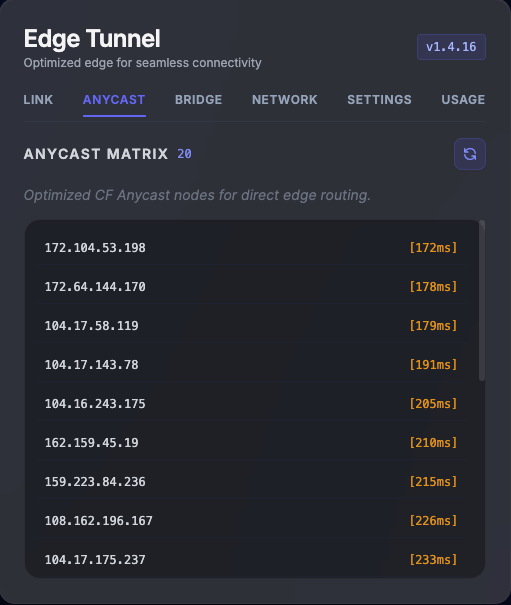
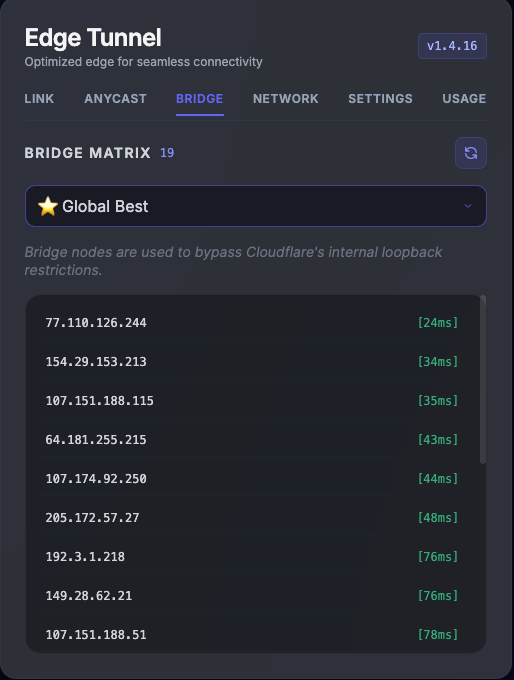
The tunnel utilizes two distinct IP mechanisms to ensure optimal connectivity and resilience. These can be synchronized via the Admin Portal:
| Anycast Matrix | Bridge Matrix |
|---|---|
 |
 |
- Anycast Edge IPs: Direct Cloudflare edge nodes ranked by client-to-edge latency. These provide the fastest and most direct connection path for your proxy clients.
- Reverse Proxy Bridge IPs: Fallback external relays. If direct connections to the target are blocked or restricted, the worker routes traffic through these bridge nodes to maintain connectivity.
- Auto Update: Both IP matrices are automatically updated in the CF background (cron) to keep them as up-to-date and usable as possible.
Routing & Optimization
The portal offers granular control over routing logic and protocol-level optimizations to ensure maximum performance and stealth:
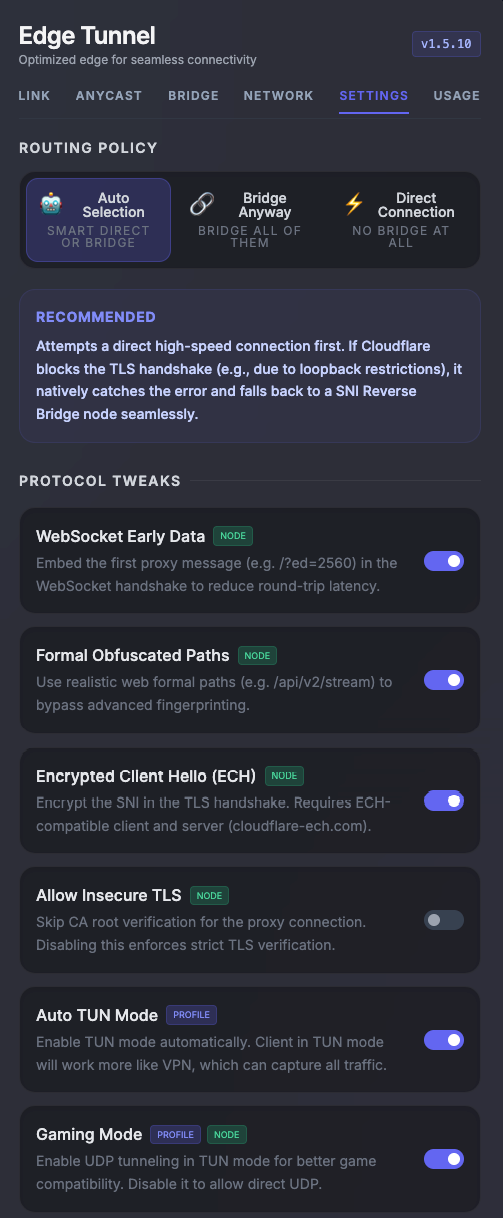
- Flexible Routing: Effortlessly switch between Auto, Direct, or Bridge modes to optimize for speed or bypass network-specific restrictions.
- Protocol Tweaks:
- WebSocket Early Data: Reduces round-trip latency by embedding the first proxy message directly in the WebSocket handshake (e.g.,
/?ed=2560). - Formal Obfuscated Paths: Evades DPI fingerprinting by using randomized, realistic web asset paths (e.g.,
/api/v1/stream). - Encrypted Client Hello (ECH): Encrypts the Server Name Indication (SNI) in the TLS handshake to bypass SNI-based filtering (requires ECH-compatible clients).
- Auto TUN Mode: Automatically enables TUN mode in the generated Clash configuration for a system-wide VPN experience.
- Gaming Mode: Optimizes UDP traffic handling in TUN mode to ensure maximum compatibility and performance for online gaming.
- WebSocket Early Data: Reduces round-trip latency by embedding the first proxy message directly in the WebSocket handshake (e.g.,
Network Diagnostics
The portal includes a network diagnostic suite, allowing you to monitor real-time IP identity, location data, and perform speedtests directly from the edge.
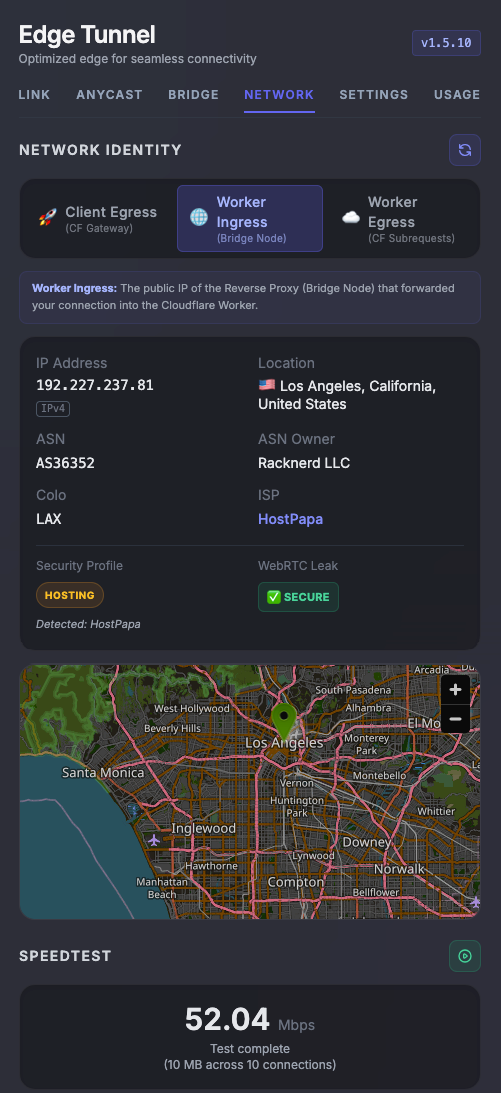
Live Telemetry
Monitor your tunnel’s performance in real-time through the integrated Cloudflare telemetry dashboard. Access request volume, CPU execution time, and error rates directly from the portal.
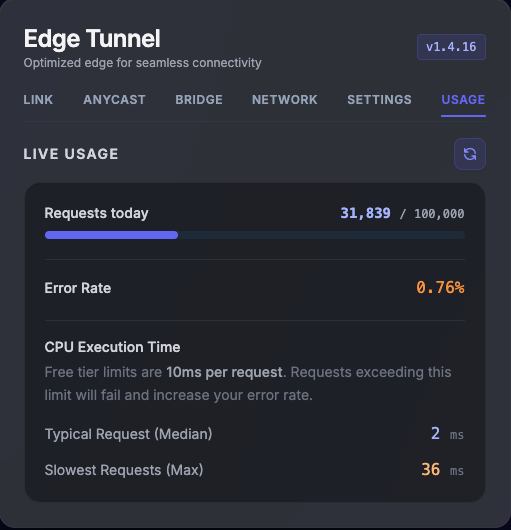
- Real-time Metrics: Track active traffic patterns and isolate potential bottlenecks.
- Performance Monitoring: Monitor CPU execution time and resource utilization across the global edge.
- Error Tracking: Identify and debug connection failures or upstream handshake issues instantly.
Configuration
You can customize the wrangler.toml file before deployment:
name: You can change this to any name you prefer for your Worker.binding = "TUNNEL": DO NOT CHANGE THIS. The code is hard-wired to look for theTUNNELbinding.
Custom Domain (Optional)
If your worker subdomain is blocked to access, you can bind your own domain, edit wrangler.toml:
[[routes]]
pattern = "your.domain.com"
custom_domain = true
Disclaimer
This service is provided strictly for educational and research purposes. By accessing or using this service, you acknowledge and agree that any application, deployment, or use of the service for non‑educational purposes is undertaken solely at your own risk.
The developers and maintainers make no warranties, express or implied, and assume no responsibility or liability for any actions, outcomes, or damages arising from misuse or unintended use of this service.
License
MIT